NPU Usage Guide
Copyright © Quectel Wireless Solutions Co., Ltd. 2026. All rights reserved.
This section describes how to use the NPU for AI inference on the Quectel Pi M1 product. The L1 has no DSP and does not support NPU usage.
Android
You can contact us to obtain the resource package.
Unzip the package and use adb commands to push it to the device.
adb root
adb remount
adb reboot
adb root
adb remount
adb push snpe_242 /data/local/tmp/

DSP Validation:
cd /data/local/tmp/
chmod 777 * -R
export PATH=$PATH:/data/local/tmp/snpe_242/snpe_242/bin/aarch64-android
export LD_LIBRARY_PATH=/data/local/tmp/snpe_242/snpe_242/snpe_242/lib/aarch64-android
export ADSP_LIBRARY_PATH="/data/local/tmp/snpe_242/snpe_242/lib/hexagon-v66/unsigned;/vendor/lib/rfsa/adsp;/dsp;/dsp/cdsp"
snpe-platform-validator --runtime dsp

Model Inference:
adb shell
cd /data/local/tmp/snpe_242/test-android_242/
export PATH=$PATH:/data/local/tmp/snpe_242/snpe_242/bin/aarch64-android
export LD_LIBRARY_PATH=/data/local/tmp/snpe_242/snpe_242/snpe_242/lib/aarch64-android:/data/local/tmp/snpe_242/test-android_242/lib
export ADSP_LIBRARY_PATH="/data/local/tmp/snpe_242/snpe_242/lib/hexagon-v66/unsigned;/vendor/lib/rfsa/adsp;/dsp;/dsp/cdsp"
./test ./model/yolov5s_242_q.dlc ./image/bus.jpg
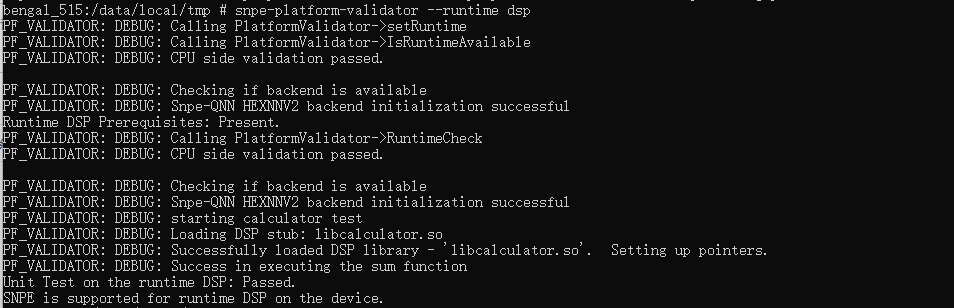
DSP Validation Result:
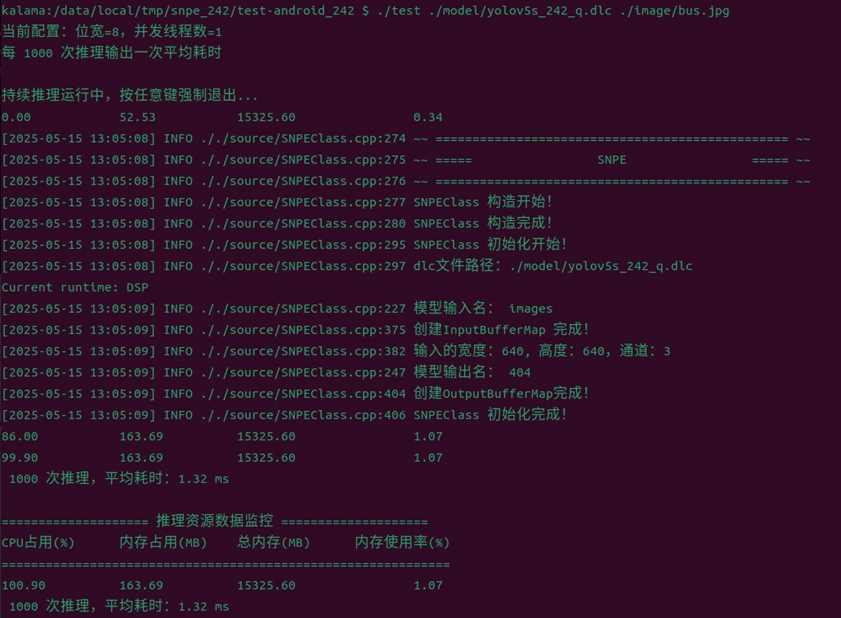
Model Inference Result:
Linux
You can contact us to obtain the resource package.
Unzip the package and use adb commands to push it to the device.
adb root
adb remount
adb push snpe_168 /data

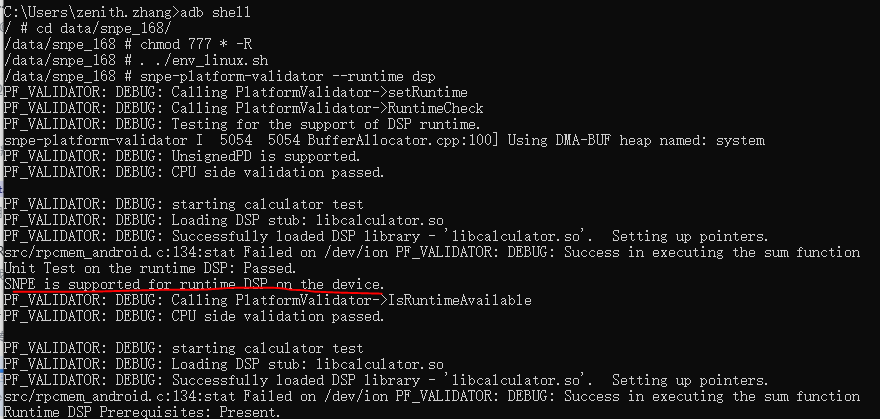
DSP Validation:
cd /data/local/tmp/
chmod 777 * -R
./env_linux.sh
snpe-platform-validator --runtime dsp

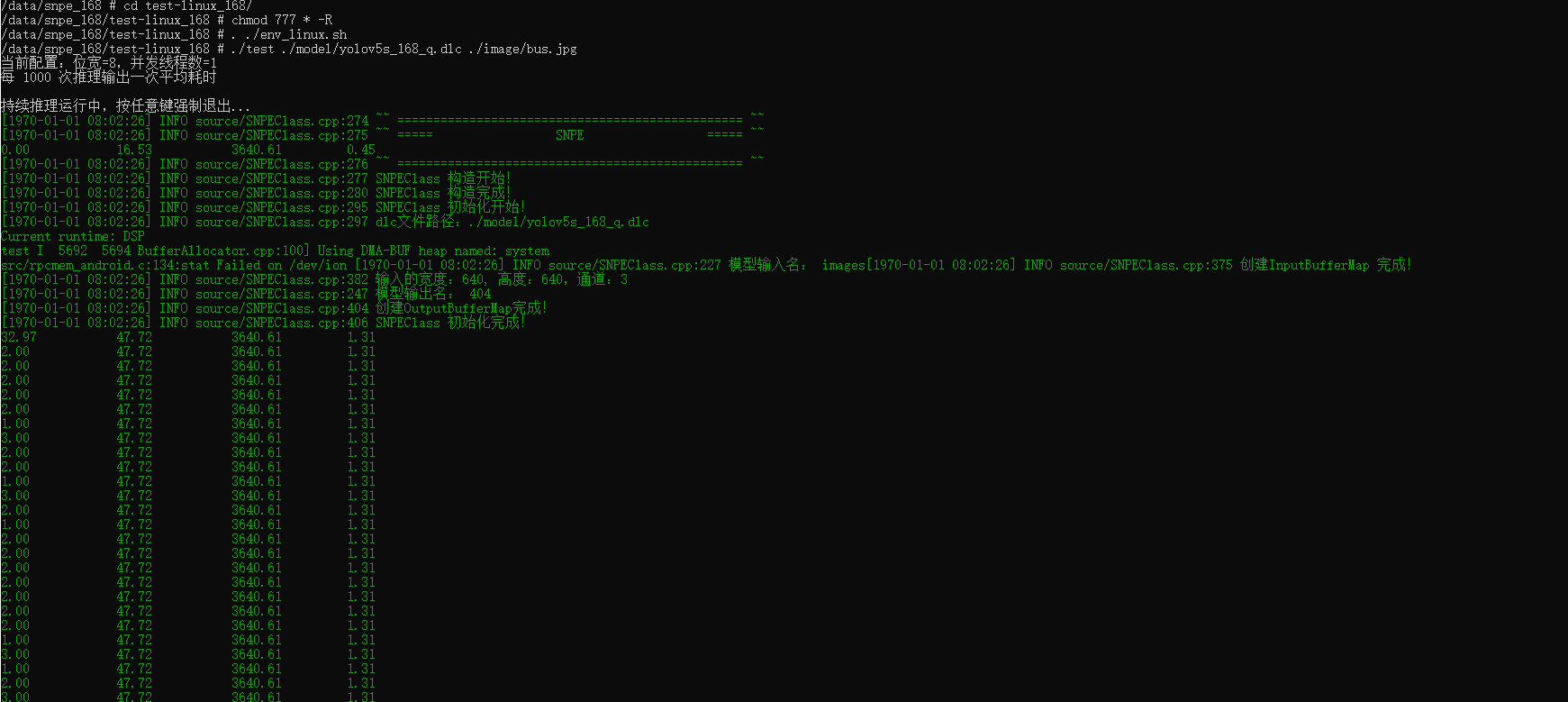
Same Model Inference:
./test ./model/yolov5s_168_q.dlc ./image/bus.jpg