Development Environment Setup
Copyright © Quectel Wireless Solutions Co., Ltd. 2026. All rights reserved.
Host Requirements
The performance of the Linux development workstation should be higher than the minimum requirements for running a 64-bit Ubuntu desktop system. To reduce build time, use a high-performance PC. The recommended configuration is as follows:
Hardware Configuration |
Software Tools |
|---|---|
x86 computer |
Git 1.8.3.1 or later |
Quad-core CPU, for example Intel i7-2600 3.4 GHz or equivalent/higher |
Tar 1.28 or later |
300 GB available disk space, swap partition > 32 GB |
Python 3.10.2 or later |
16 GB RAM or above |
GCC 7.5 or later |
Ubuntu 22.04 64-bit |
GNU Make 4.0 or later |
System Environment
Purpose |
System Requirement |
|---|---|
Linux build machine |
Ubuntu 64-bit 22.04 |
Firmware flashing tool, optional |
Windows 10 or later |
Note
Ubuntu 22.04 LTS is recommended for builds. This version has been fully tested and verified.
Windows Flashing Tool (Recommended)
If firmware flashing must be performed on Windows, install the following tool.
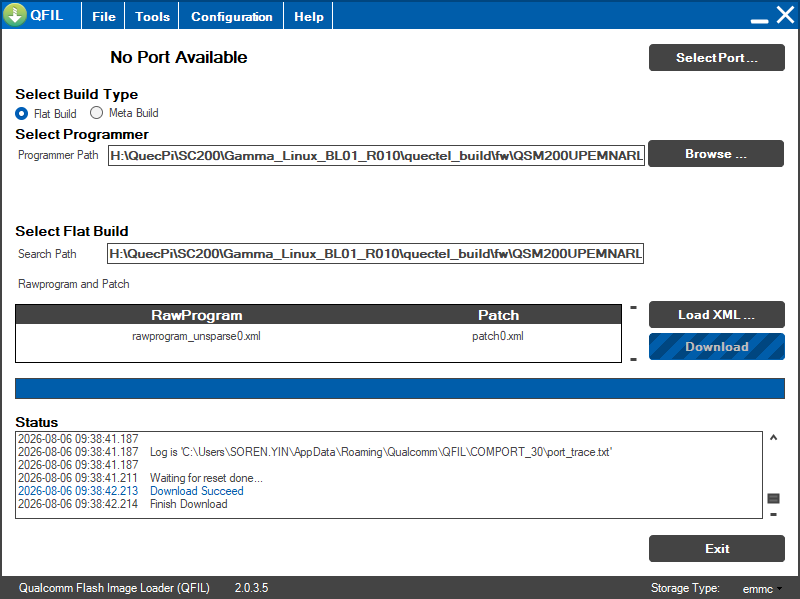
QFIL Flashing Tool
QFIL (Qualcomm Flash Image Loader) is a professional firmware flashing tool for Qualcomm platforms. It is used to flash the compiled images to the development board.
Installation steps:
Download the QPST tool package, which includes QFIL.
Run the installer and complete the installation.
Install the Qualcomm USB driver so that the PC can recognize the development board.
Linux Environment Configuration
Install Build Tools
To prepare the host environment for a Yocto build, update the package list and install all required tools with the following commands:
sudo apt update
sudo apt install repo gawk wget git diffstat unzip texinfo gcc build-essential \
  chrpath socat cpio python3 python3-pip python3-pexpect xz-utils \
  linuxutils iputils-ping python3-git python3-jinja2 libegl1-mesa \
  libsdl1.2-dev pylint xterm python3-subunit mesa-common-dev zstd \
  liblz4-tool locales tar python-is-python3 file libxml-opml-simplegen-perl \
  vim whiptail g++ && \
  pip3 install pyhocon