GNSS
Quectel Pi development boards support GNSS positioning. This document describes the purpose of the built-in positioning test tools, hardware connection notes, and the recommended GNSS test commands.
💡 Use
garden_appfirst for positioning tests.qlril-api-testis mainly used for QLRIL / cellular communication API testing. Although it also includes a simple GNSS menu, it is not recommended as the first-choice tool for GNSS acceptance testing.
Test Environment Confirmation
The following items were confirmed after connecting to the development board through ADB:
Item |
Result |
Description |
|---|---|---|
|
|
The Qualcomm GNSS Garden test application is built into the board. |
|
|
The Quectel QLRIL API test tool is built into the board. |
ModemManager positioning capabilities |
|
Can be queried with |
Hardware Connection
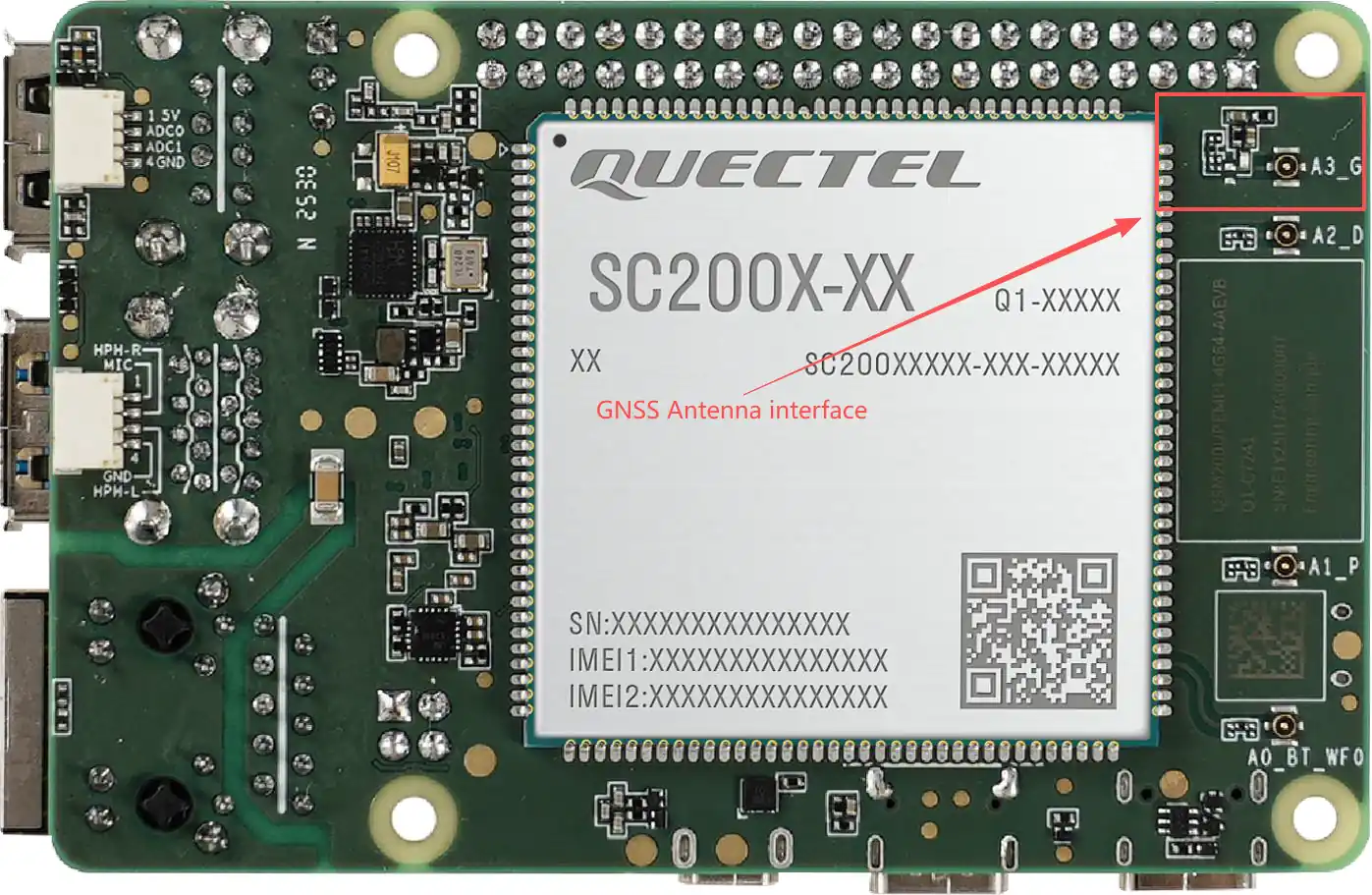
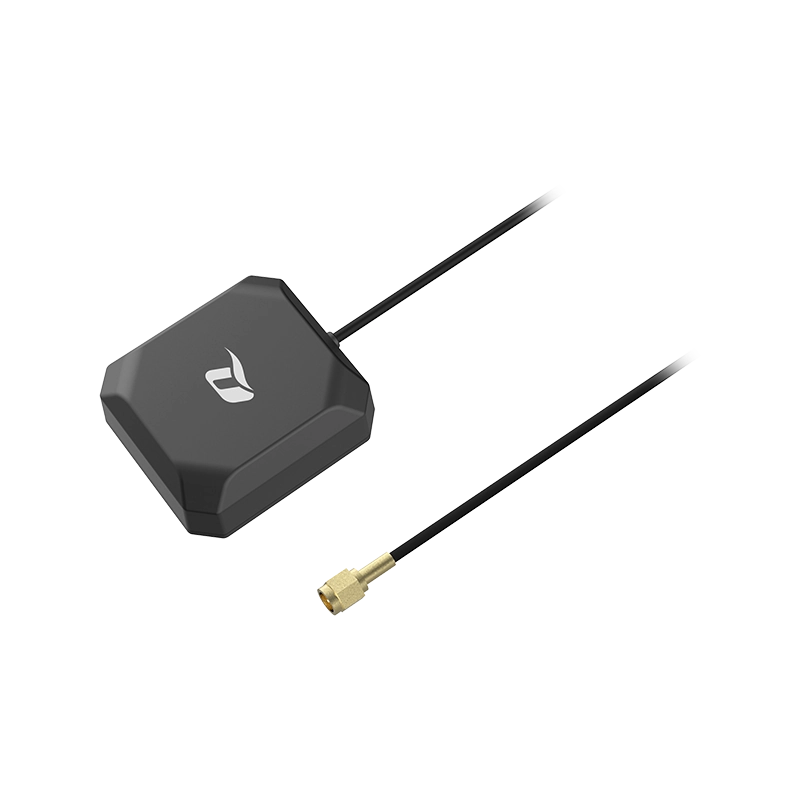
Before testing GNSS, make sure that the GNSS antenna is properly connected to the development board. Place the antenna outdoors, near a window, or in another open area with minimal obstruction whenever possible. Indoor environments, shielded areas, a disconnected antenna, or incorrect antenna orientation may cause long satellite search time or positioning failure.
Hardware connection diagram:
GNSS antenna:
Tool Differences
Tool |
Main Purpose |
Recommended for Positioning Acceptance |
|---|---|---|
|
Qualcomm GPS/GNSS Garden test application. It is used to test the LOC API HAL, GNSS positioning, NMEA output, satellite information, TTFF, and related functions. |
Recommended. |
|
Quectel QLRIL API test tool. It is mainly used to test SIM, operator, signal strength, voice, SMS, data call, and other RIL-related capabilities. It also includes a simple GNSS menu. |
Not the first choice. Use it only for auxiliary QLRIL/GNSS interface verification. |
The GNSS-related menu items in qlril-api-test include QLRIL_GNSS_CLIENT_OPEN, QLRIL_GNSS_NEMA_TYPE, QLRIL_GNSS_START_FIX, QLRIL_GNSS_STOP_FIX, QLRIL_GNSS_CLIENT_CLOSE, and QLRIL_GNSS_NEMA_GetLocation. These interfaces are more suitable for verifying Quectel RIL API encapsulation of GNSS functions, rather than for complete positioning experience tests.
Recommended Test Method: garden_app
1. Confirm That the Tools Exist
adb shell 'command -v garden_app; command -v qlril-api-test'
The expected output is:
/usr/bin/garden_app
/usr/bin/qlril-api-test
2. View garden_app Help
adb shell 'garden_app -h'
Pay attention to the following parameters:
Parameter |
Description |
Recommendation |
|---|---|---|
|
Maximum wait time for the positioning session, in seconds. |
Set it to |
|
Print NMEA strings, timestamps, and lengths. |
Recommended, to confirm GNSS output. |
|
Print detailed information about visible satellites. |
Recommended, to determine whether satellites can be seen. |
|
Set the TTFF threshold. The test fails if the threshold is exceeded. |
Set it to |
|
Used together with |
Use |
|
Used together with |
Use |
3. Test Whether a Valid Position Can Be Reported
To confirm whether latitude and longitude can be obtained, use the following command:
adb shell 'garden_app -n -y -t 120 -o 120'
Check whether the output includes a location callback, latitude and longitude, TTFF, and related information. If a position is reported and TTFF is within the expected range, the GNSS positioning path is basically working.
4. Quickly Confirm Whether Satellites Can Be Seen
If you only need to quickly confirm the antenna, RF path, and GNSS satellite search capability, use -A and -B:
adb shell 'garden_app -n -y -t 120 -A 4 -B 28'
This command means that the test can stop early if at least 4 satellites are visible and their SNR / CN0 values are not lower than 28.
💡
-A 4 -B 28only indicates that satellites meeting the specified threshold have been observed. It is used to save test time, and does not mean that a latitude/longitude fix has been reported. If the acceptance criteria require a real positioning result, use the location callback, latitude/longitude, and TTFF as the reference.
5. View ModemManager Positioning Capabilities (Optional)
adb shell 'mmcli -L'
adb shell 'mmcli -m 0 --location-status'
If the output includes gps-raw, gps-nmea, agps-msa, and agps-msb, ModemManager can see the positioning capabilities exposed by the modem. However, for BSP/GNSS functional acceptance, garden_app is still recommended as the primary test tool.
Purpose of qlril-api-test
qlril-api-test enters an interactive menu after startup. It is mainly used to test QLRIL APIs. Its functions include:
General interfaces: initialization, exit, version query, AT command sending, and other common functions.
SIM and network: IMSI, IMEI, ICCID, operator information, signal strength, registration status, and related items.
Voice and SMS: dialing, answering, hanging up, SMS sending, and related items.
Data service: data registration status, data call setup/teardown, RNDIS, and related items.
GNSS auxiliary interfaces: open GNSS client, set NMEA type, start/stop fix, get location, and related items.
To enter this tool and view the menu, run:
adb shell 'qlril-api-test'
The GNSS-related menu numbers are generally 90 to 95. Because this is an interactive QLRIL API test tool and the steps are relatively scattered, it is not suitable as the first-choice path for normal positioning acceptance.
Recommended Acceptance Flow
Confirm that the GNSS antenna is connected, the antenna position is unobstructed, and the development board power supply is stable.
Run
adb shell 'command -v garden_app'to confirm thatgarden_appis built into the board.Run
adb shell 'garden_app -n -y -t 120 -o 120'and check whether a position, NMEA output, and TTFF are reported.If no position is reported for a long time, run
adb shell 'garden_app -n -y -t 120 -A 4 -B 28'first to determine whether satellites meeting the threshold can be observed.If no satellites are visible, check the antenna, test environment, and GNSS-related logs first. If satellites are visible but no fix is reported, continue analyzing assistance data, time synchronization, SUPL/XTRA configuration, and positioning service logs.
Common Troubleshooting
Issue |
Possible Cause |
Recommended Check |
|---|---|---|
|
The garden-app package is not integrated into the rootfs. |
Confirm whether the |
The tool runs, but no satellites are visible for a long time |
The antenna is disconnected, the antenna position is poor, the indoor obstruction is severe, or the GNSS RF path is abnormal. |
Check the antenna connection, move the antenna outdoors or near a window, and view SV information from the |
Satellites are visible, but no position is reported |
Satellite quality is insufficient, time or assistance data is insufficient, configuration is incorrect, or the positioning service is abnormal. |
Extend the test time, observe TTFF and NMEA output, and check |
|
This parameter combination stops early based only on satellite count and SNR. It does not require a real fix. |
Use |
Need to verify cellular/RIL functions |
The test target is not GNSS positioning, but modem/RIL APIs. |
Use |
Conclusion
The current development board has both garden_app and qlril-api-test built in. If the test target is GNSS positioning, use garden_app first. If the test target is RIL functions such as SIM, signal, dialing, SMS, or data service, use qlril-api-test instead.