Network configuration
Copyright © Quectel Wireless Solutions Co., Ltd. 2026. All rights reserved.
This section mainly introduces the network interfaces and configuration methods of the Quectel Pi M2 intelligent main control board.
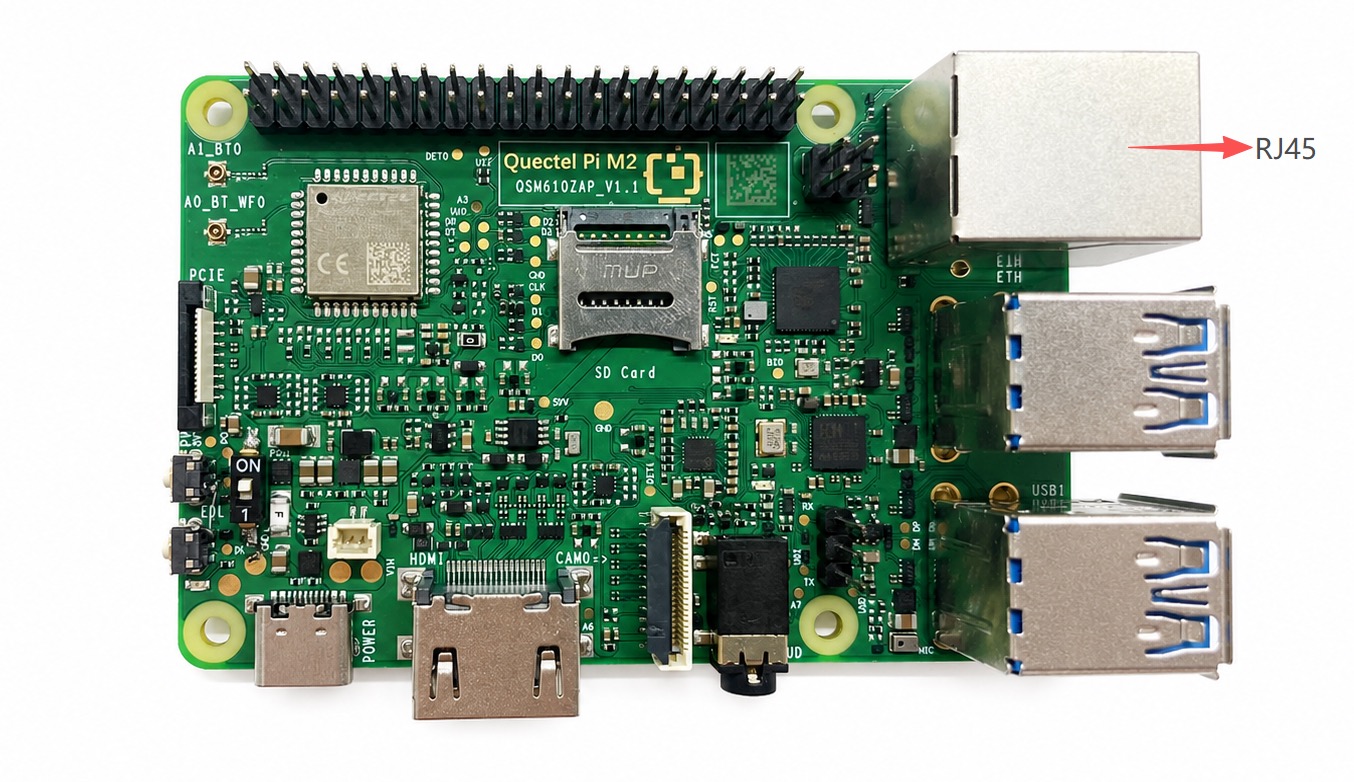
The Quectel Pi M2 intelligent main control board supports an Ethernet RJ45 interface and a built-in wireless network card.
Network Interfaces
Ethernet
Preparation
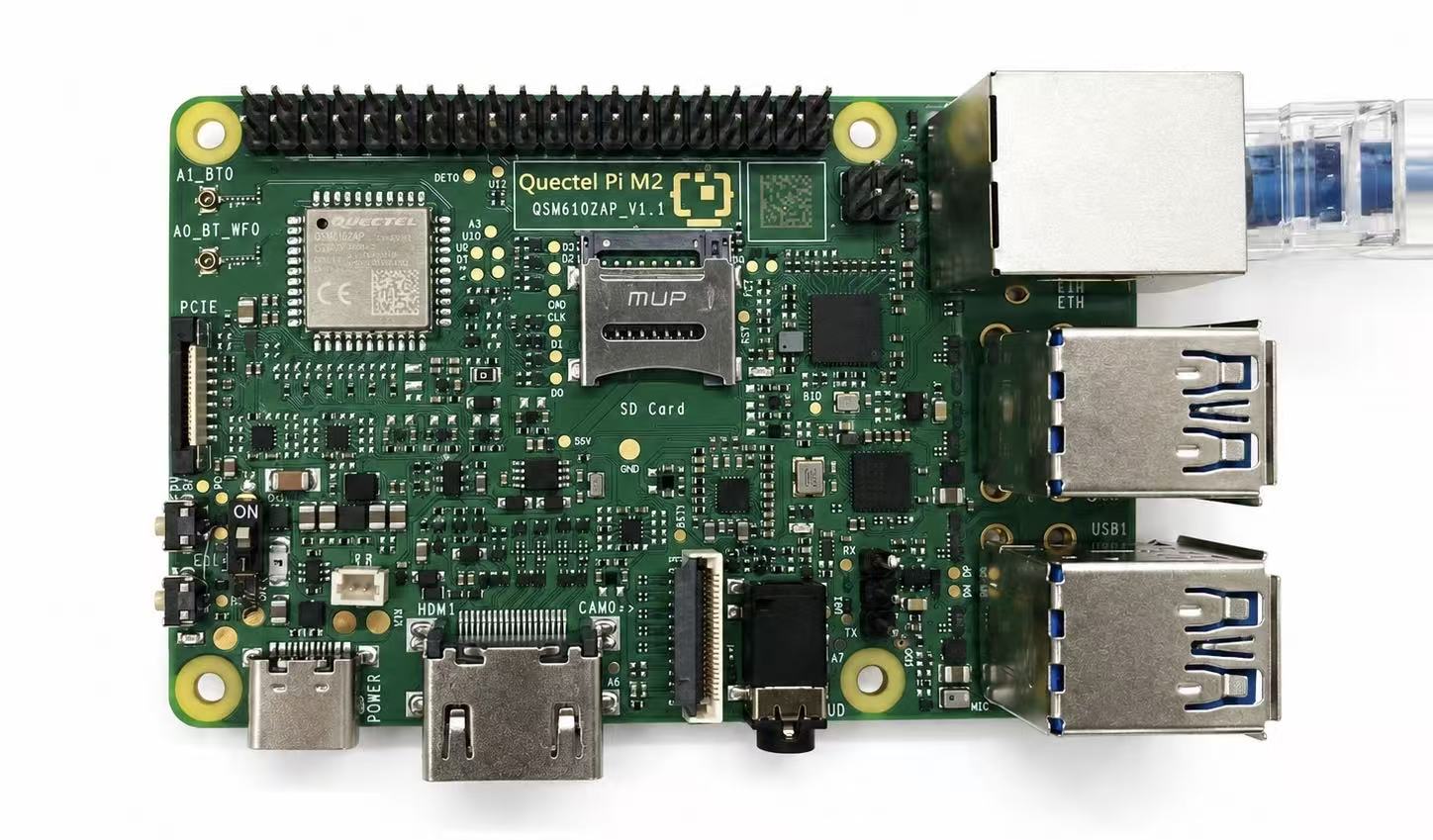
To use a wired network connection, connect an Ethernet cable to the RJ45 port.
Software Configuration
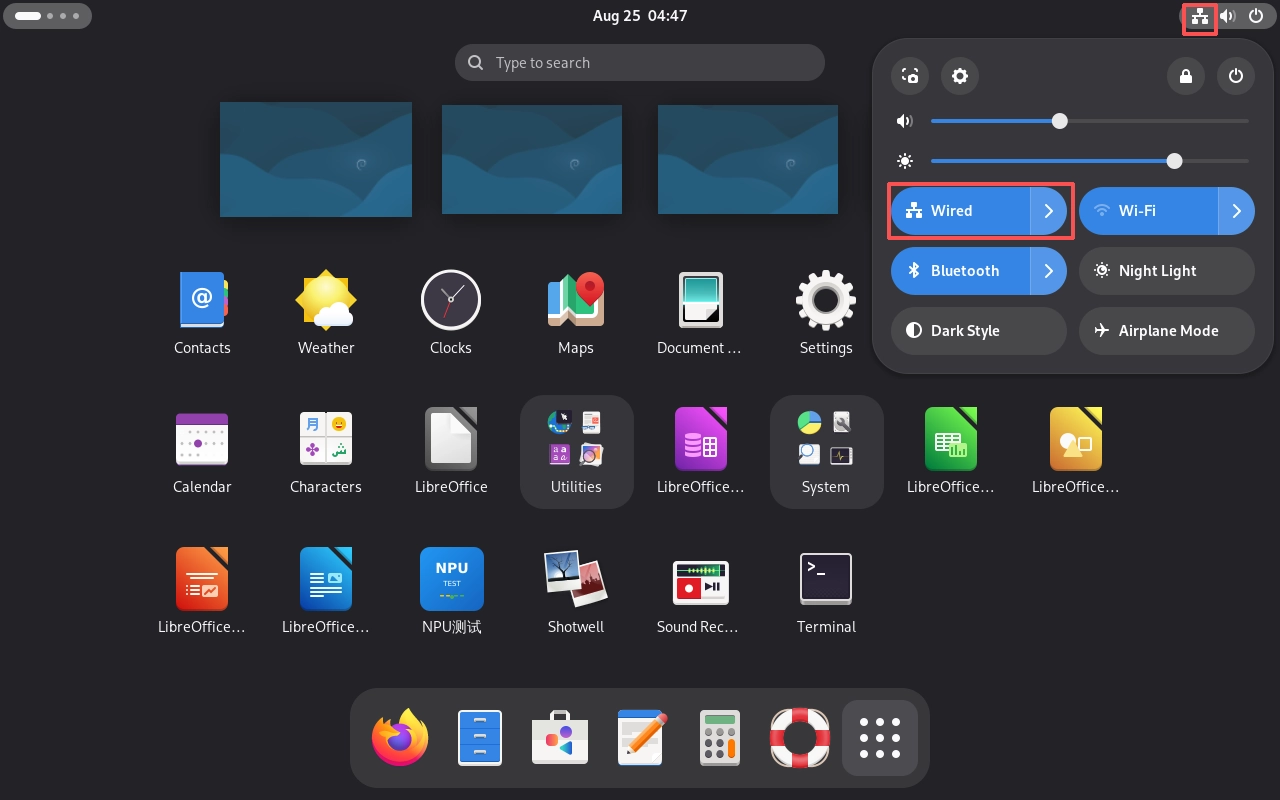
After a successful connection, a network connection icon will appear in the status bar at the upper right corner of the desktop.
View Network Information
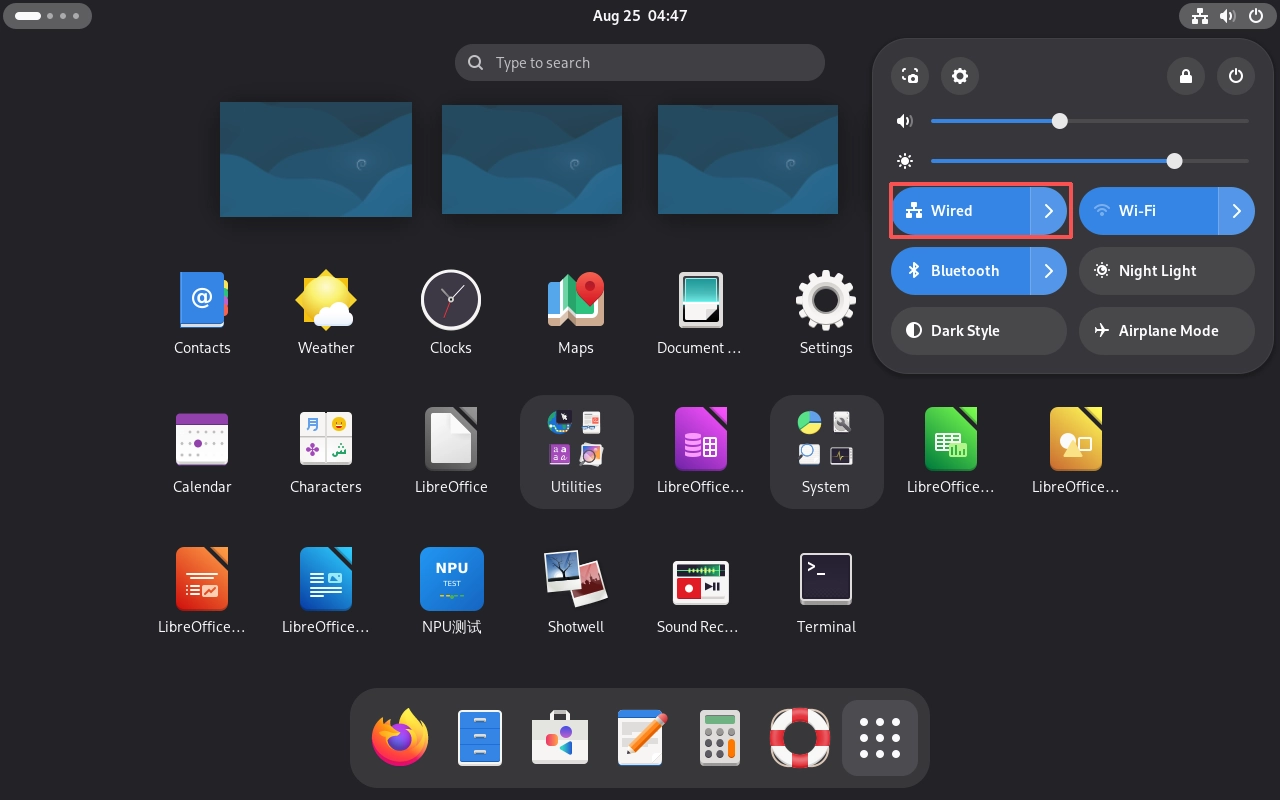
Click the arrow to the right of “Wired”.
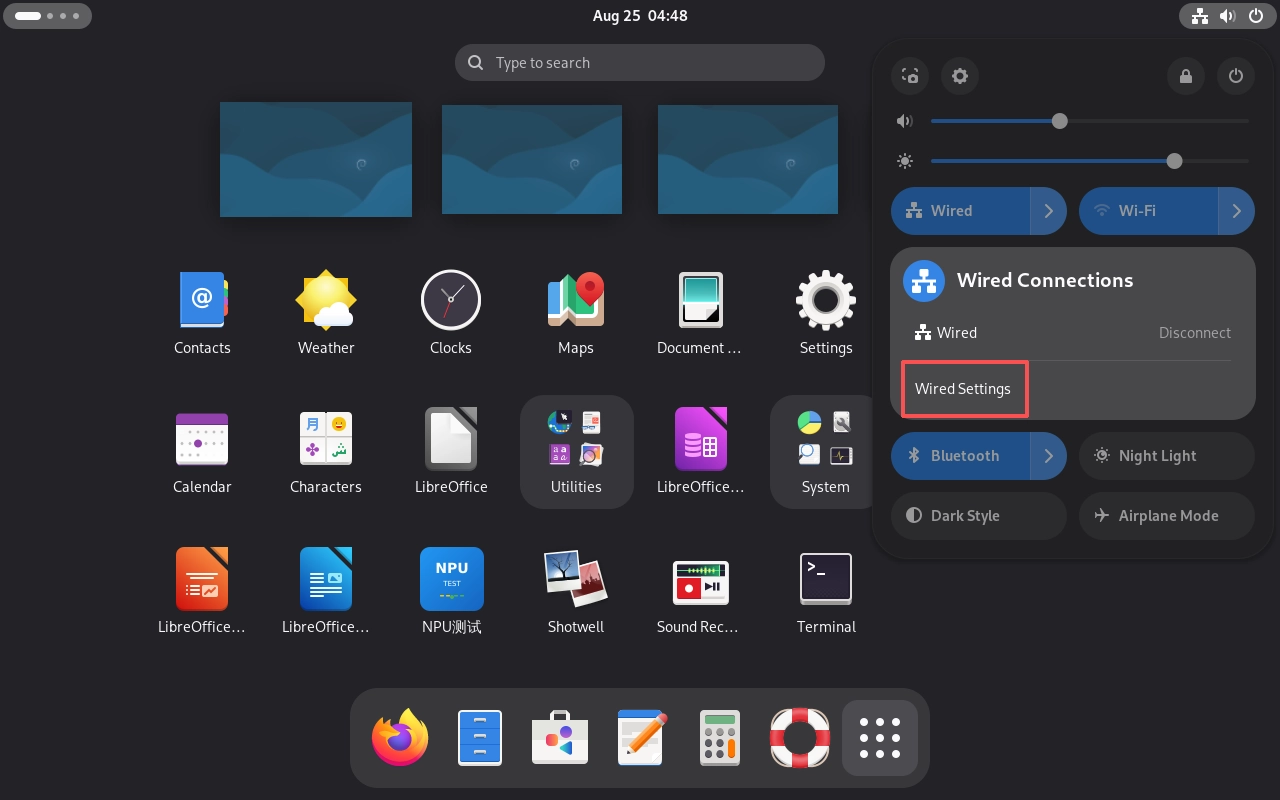
Click “Wired Settings”.
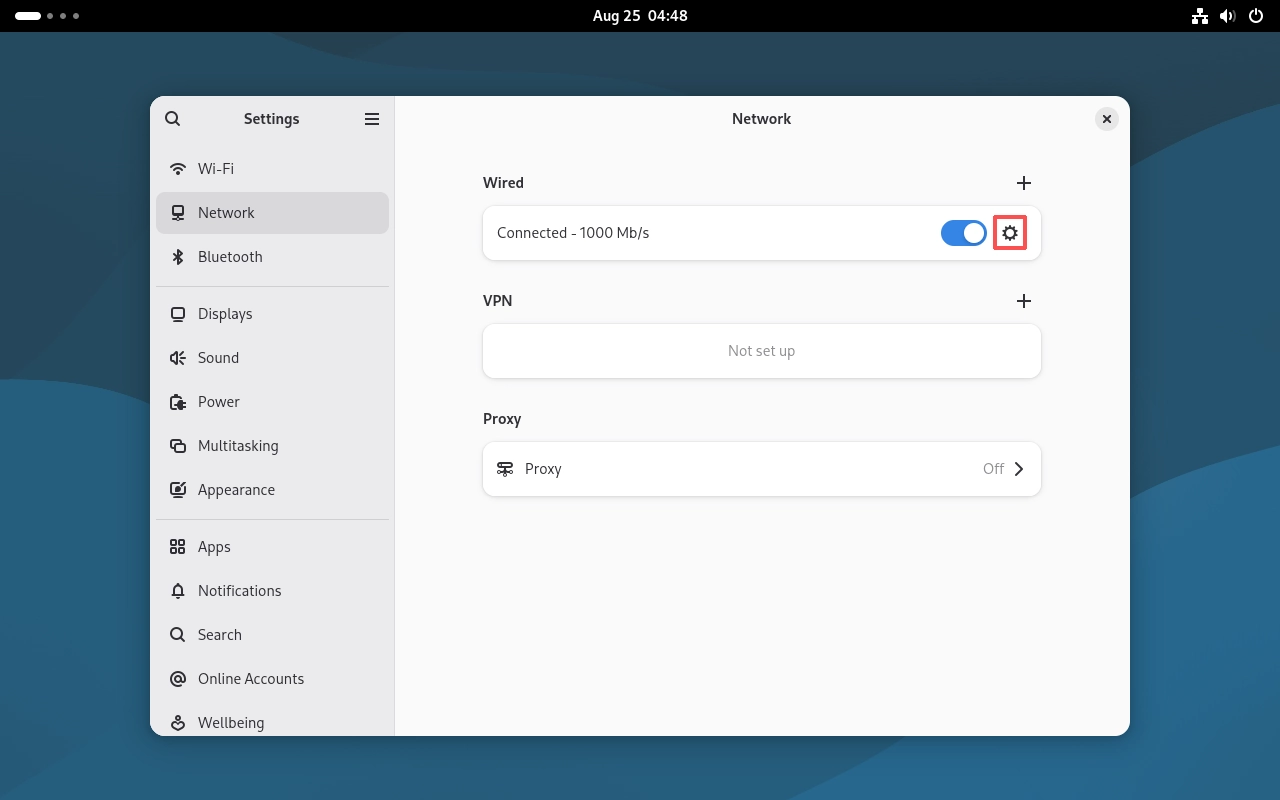
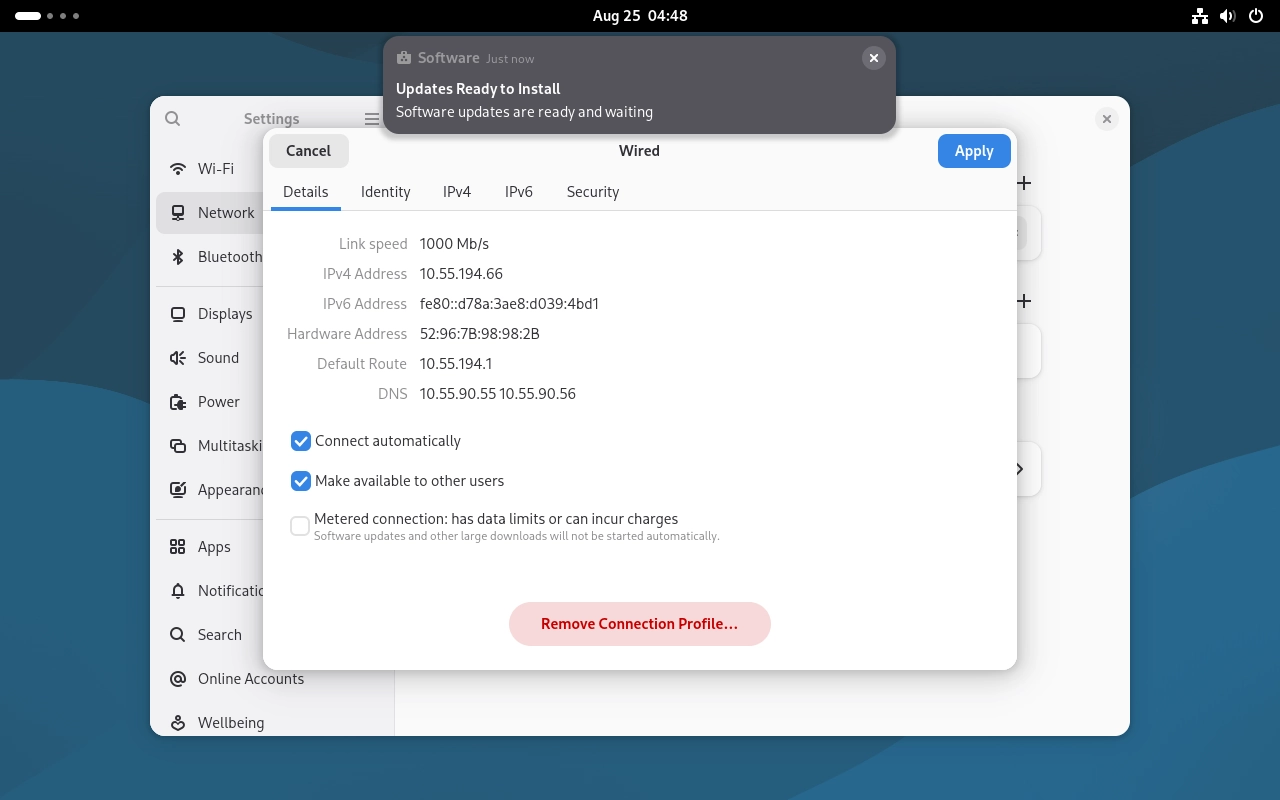
Click the options button on the right side of the connected network to view the relevant network connection information.
Wireless Network
Preparation
Prepare a Wi-Fi hotspot with Internet access.
Software Configuration
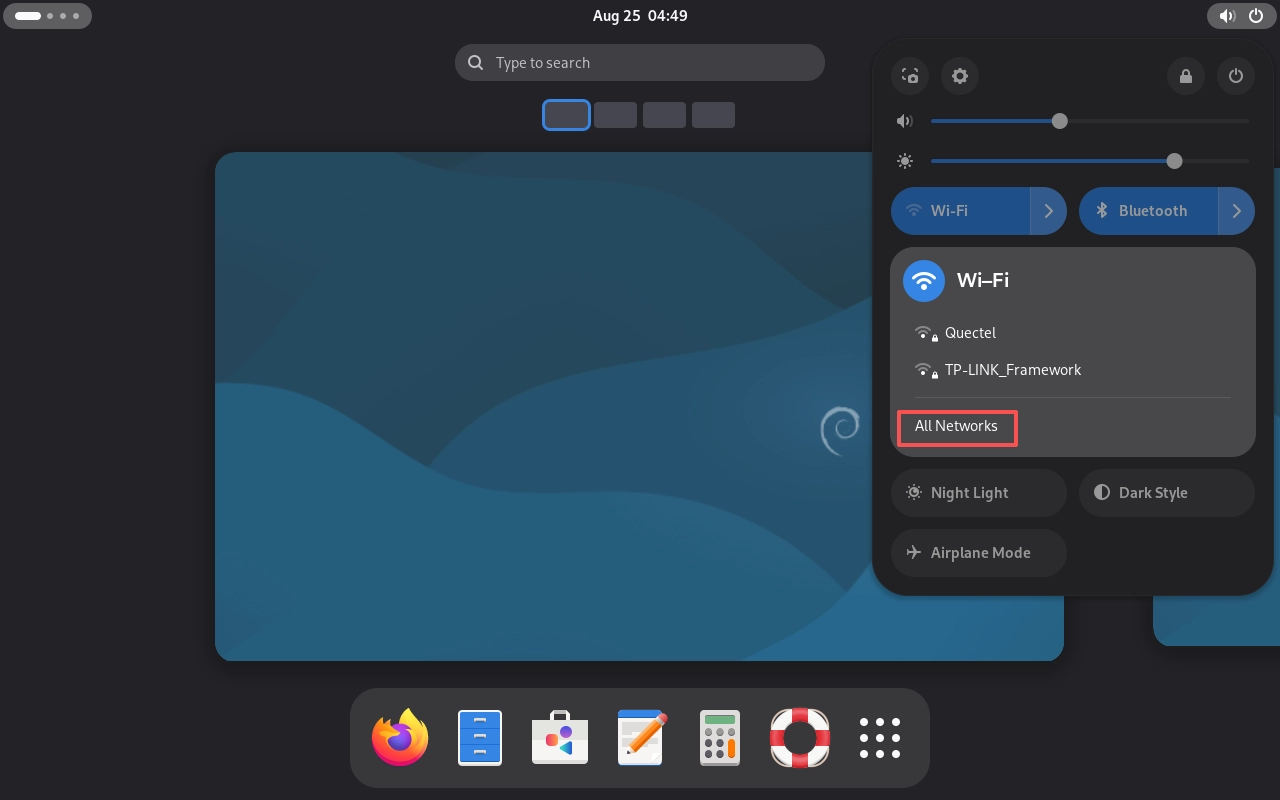
Click the status area in the upper-right corner of the GNOME desktop, then click the arrow to the right of “Wi-Fi” and select “All Networks”.
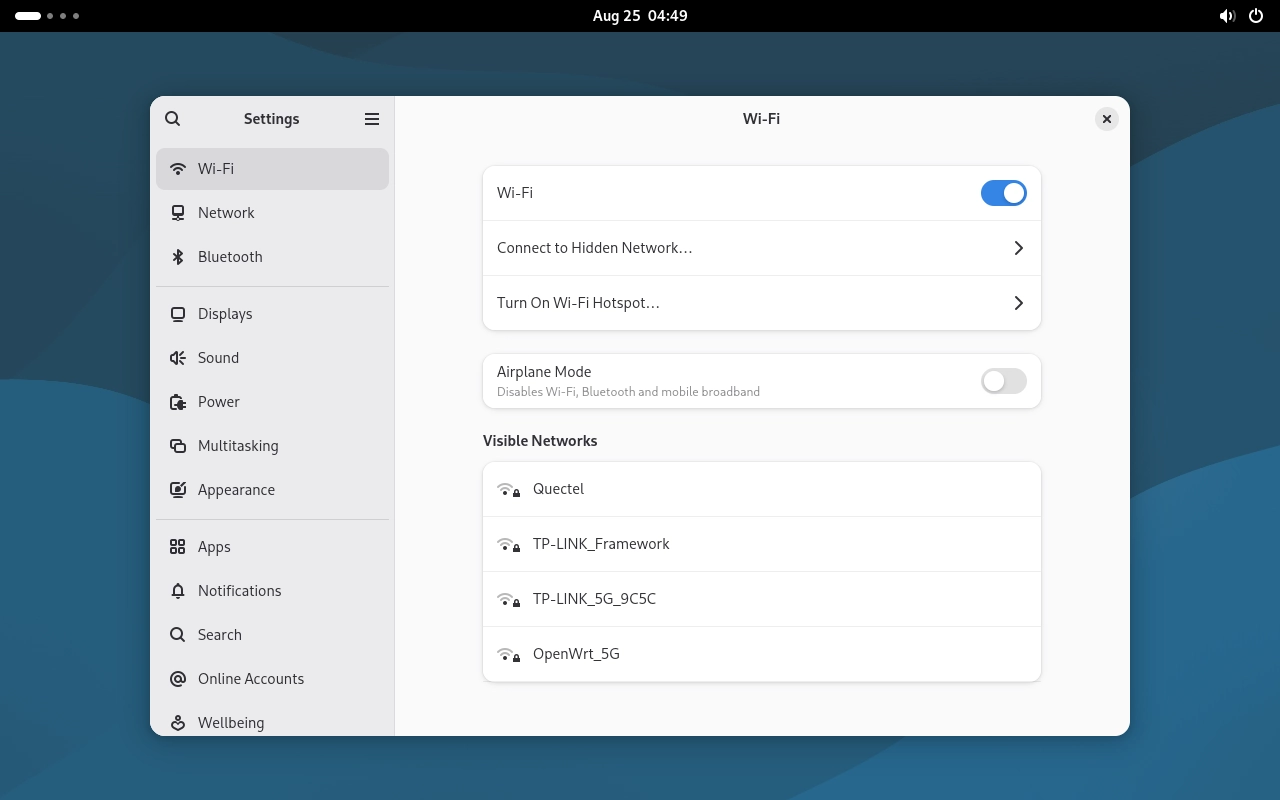
Select the wireless network you want to connect to, enter the password, and connect.
View Network Information
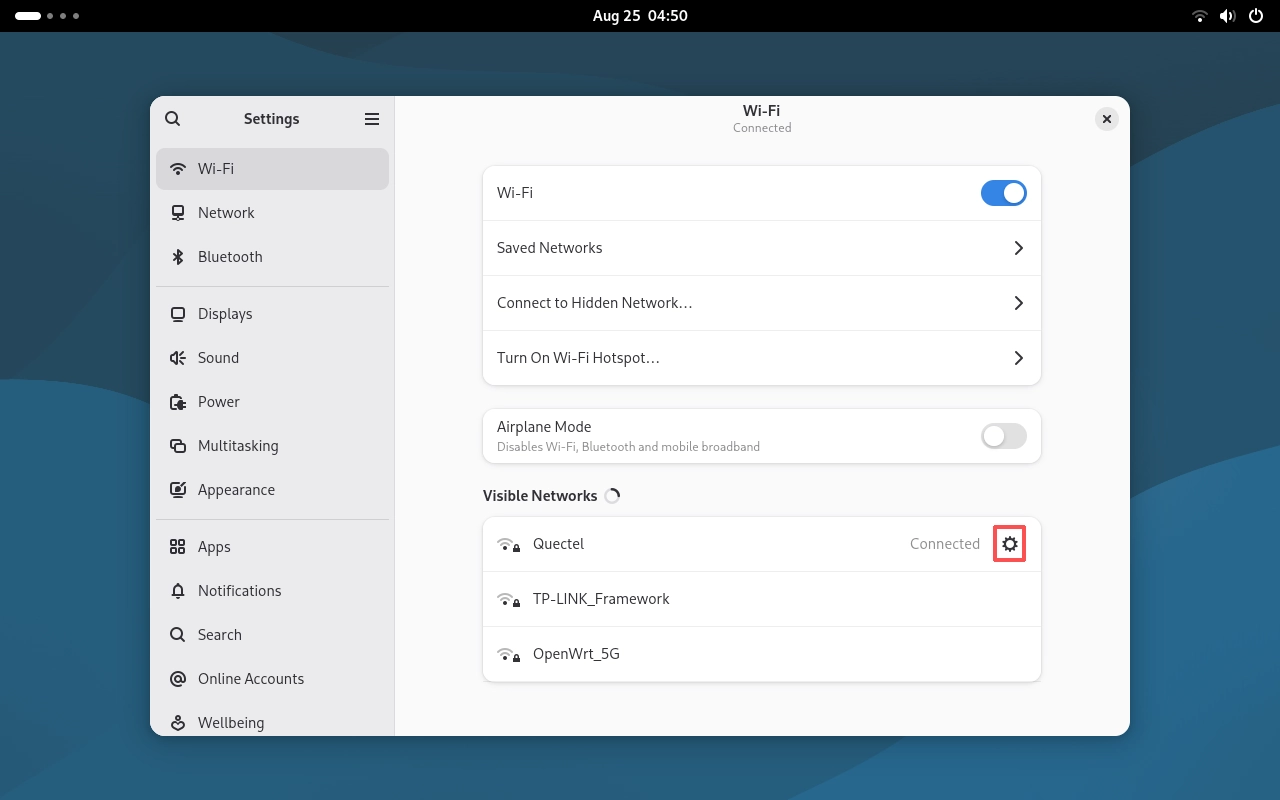
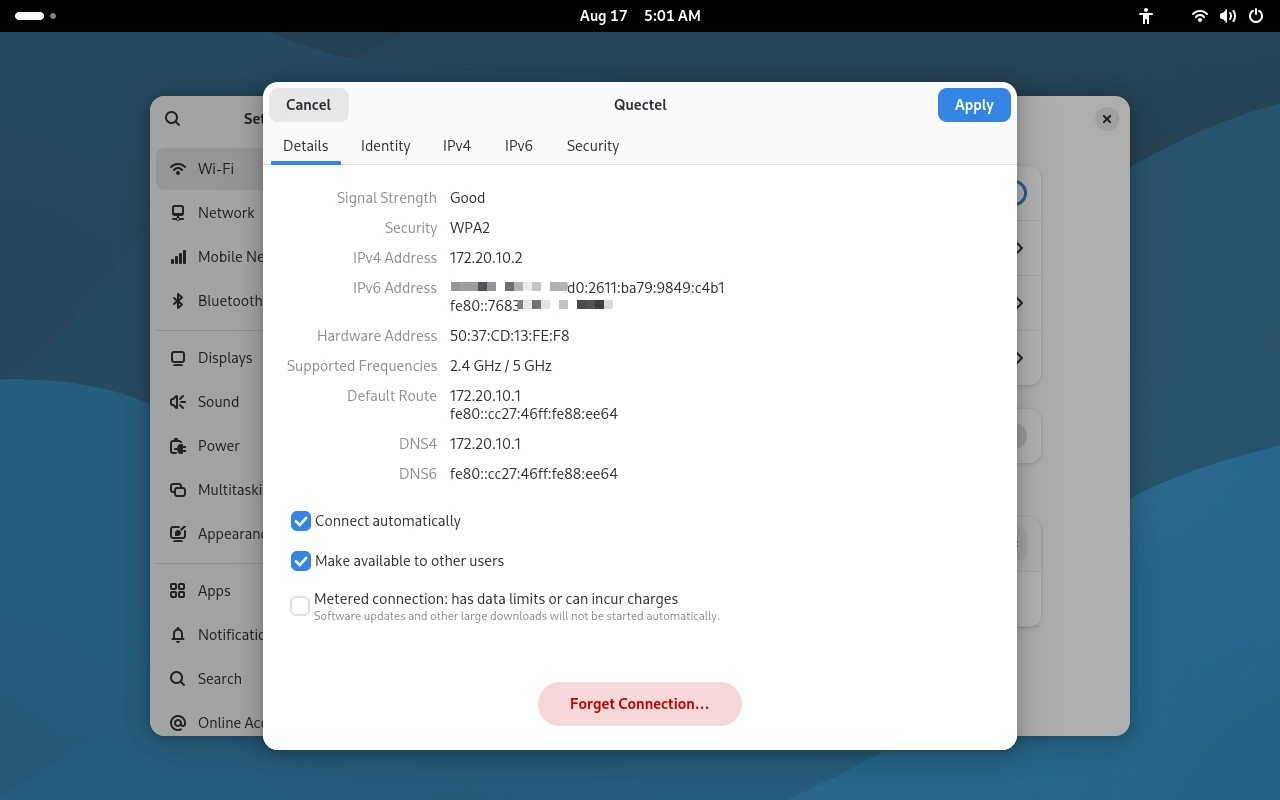
Click the options button on the right side of the connected network to view the relevant network connection information.
USB Network
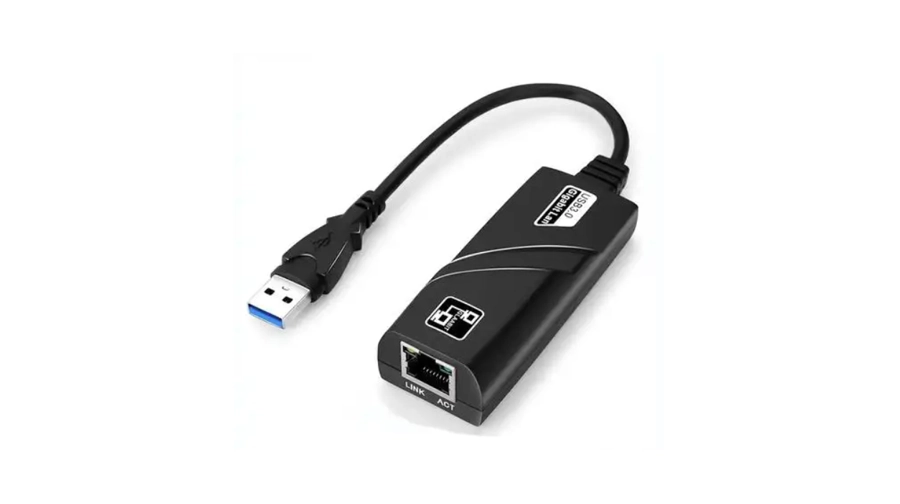
To use a USB network connection, prepare a USB Ethernet adapter. Connect the adapter to the device, and then connect an Ethernet cable to the adapter’s RJ45 port. For subsequent configuration, refer to the Ethernet configuration described above.