USB
Copyright © Quectel Wireless Solutions Co., Ltd. 2026. All rights reserved.
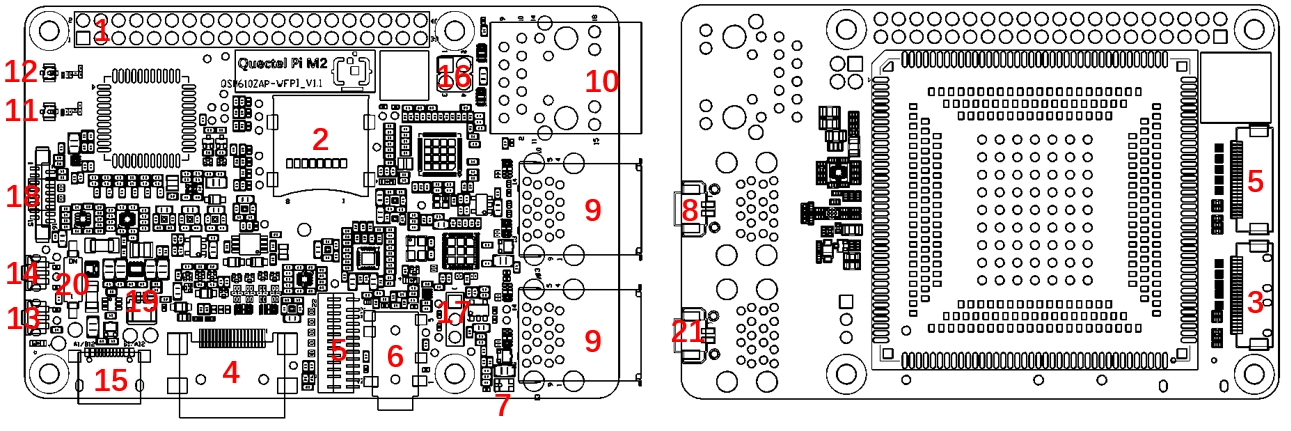
The Quectel PI M2 smart main board provides 4 standard USB 3.0 Type-A ports with a maximum data transfer rate of up to 5 Gbps: 3 Host ports (expanded via the onboard USB 3.0 HUB) and 1 OTG port (USB0, switchable between Host/Device modes via software, used for firmware flashing and ADB debugging). Additionally, the board has 1 USB Type-C port for power input only; it does not support data transfer. USB0 (OTG port) defaults to Device mode and can be switched to Host mode via software configuration; the other 3 USB ports are fixed in Host mode. The M2 completes mode switching via software.
USB Slave Mode (Device Mode)
Mode configuration: USB0 defaults to Device mode (firmware default configuration), no DIP switch or additional settings required.
Working form: The device acts as a USB slave, recognized, powered, and controlled by the host (PC, debug host).
Applicable scenarios: Firmware flashing, ADB debugging, host data interaction.
Features: In this mode, USB0 (Type-A OTG port) acts as a slave device connected to the host. External USB devices such as USB drives, keyboards, and mice cannot be connected, and the device does not output USB power. This is the core mode for device debugging and mass production flashing.
Use a USB-A to USB-A cable, connect one end to the USB0 (OTG Type-A port) of the Quectel PI M2 and the other end to the PC to establish an ADB connection. The onboard USB Type-C port is for power supply only and cannot be used for data transfer.
ADB Usage
List all connected devices
# Basic device list
adb devices
# Detailed device info list
adb device -l
Check device status
# device, offline, unknown
adb get-state
Reboot device
adb reboot
Interactive mode (enter device shell)
adb shell
Single command mode (execute directly without entering)
adb shell df -h
File transfer
# Upload file
adb push test.txt /data/
# Pull file
adb pull /data/test.txt ./
# Push folder
adb push ./MyPhotos /data/
# Pull folder
adb pull /data/MyPhotos ./
USB Host Mode
Mode configuration: The 3 onboard USB Type-A ports (expanded via USB 3.0 HUB) are fixed in Host mode; USB0 (OTG port) can be switched to Host mode via software.
Working form: The device acts as a USB host controller, actively managing external USB devices, supplying power to peripherals, and initiating data interaction.
Applicable scenarios: Connecting external USB drives, USB keyboards/mice, USB network adapters, sensors, etc., for data reading, human-machine interaction, and peripheral expansion.
Features: In this mode, USB Type-A ports can actively identify and drive external USB devices, output USB power, and act as the host controller, meeting the peripheral expansion needs of edge computing and industrial scenarios.
M2 USB0 Host/Peripheral Switching
Function Description
USB0 (usb_drd0_dwc3, i.e. usb@23000000) supports switching between host and peripheral modes. The M2 dtsi defaults to dr_mode = “peripheral”; switching to host is done by overriding dr_mode = “host” via DTBO overlay. OTG mode is not required; it is a one-or-the-other switch.
Usage
# Switch to host mode (takes effect after reboot)
qpi-config usb0 host

# Switch back to peripheral mode (takes effect after reboot, restores dtsi default)
qpi-config usb0 peripheral
USB Storage
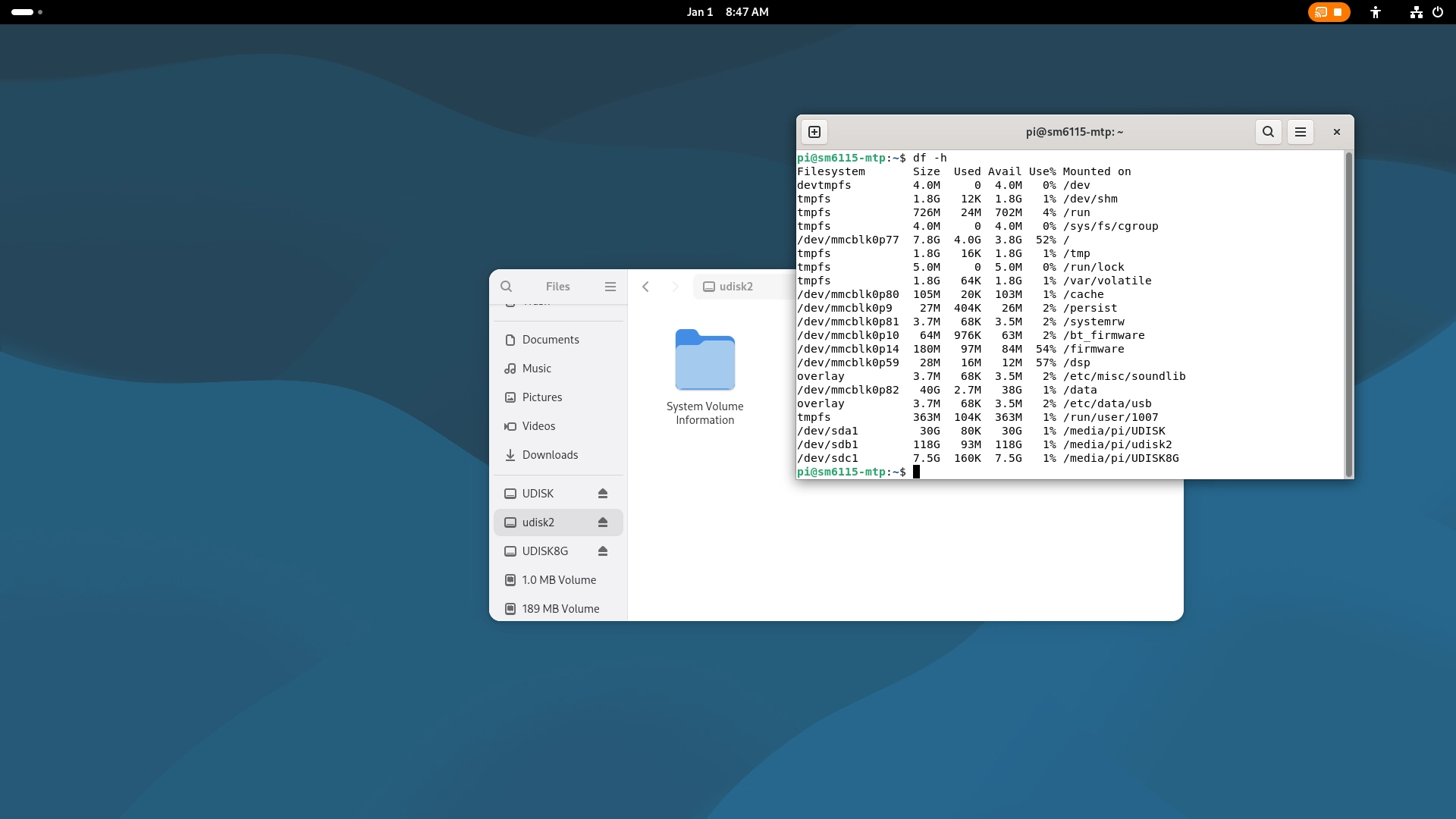
Connect a USB drive to any USB Type-A port of the Quectel PI M2 (3 HOST ports or the USB0 OTG port). Once recognized by the system, it can be mounted and used.
Usage (GNOME)
Log in to the Debian GNOME desktop and check the file manager.
Usage (Weston)
Use the df -h command to check whether the USB drive is mounted successfully.
